Context gets lost between dashboards.
- ×Leave the Page you are reviewing
- ×Find the right portfolio again
- ×Open separate analytics screens
- ×Rebuild the story in your head
 FB Multi Manager
Stop breaking your focus just to check a number. FB Multi Manager keeps posts, audience signals and Page performance beside the Facebook work already in front of you.
Built for agencies, social teams and hands-on business owners.
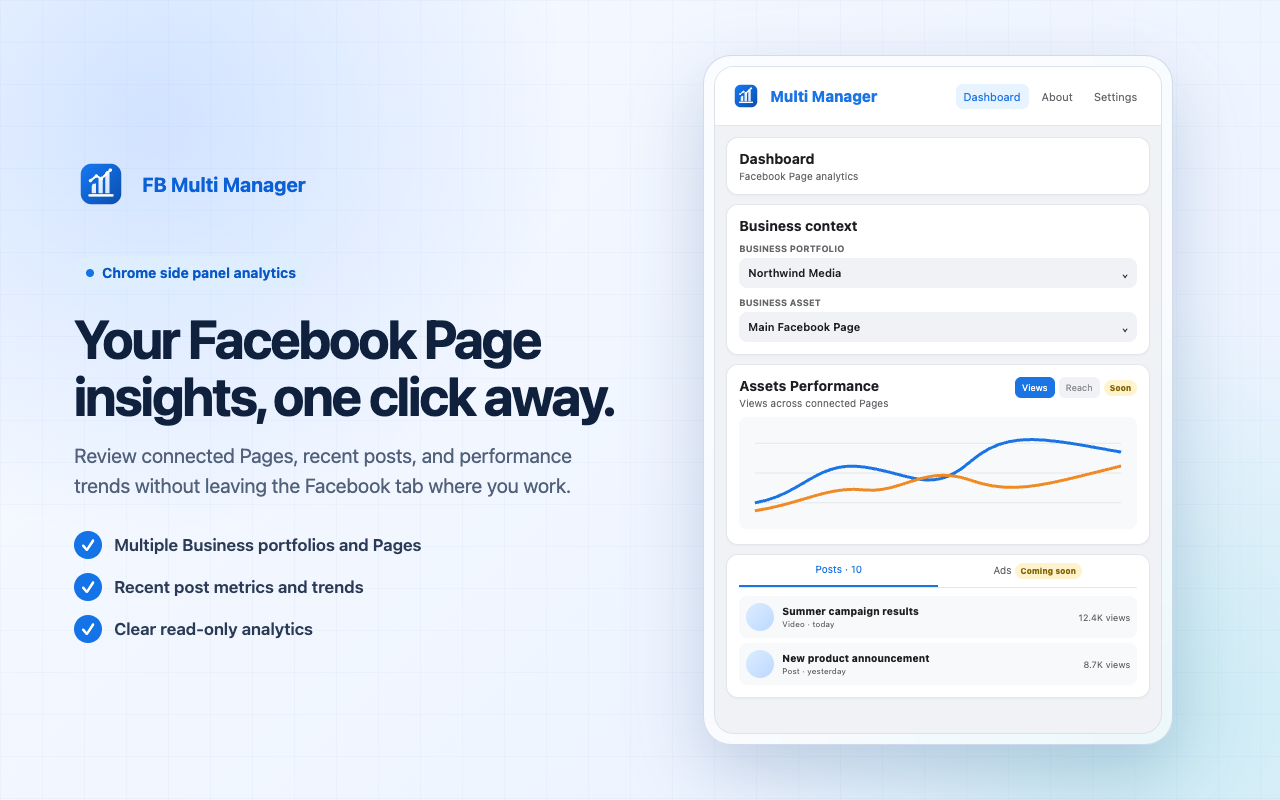
Built for people who manage Pages—not browser tabs.
Less friction in every check-in
Your attention is expensive. FB Multi Manager removes the detour between seeing a post and understanding how it performed.
One panel. The signal that matters.
See the work, understand the response, and switch context without leaving the page in front of you.
Move between Facebook business portfolios and connected Pages without losing your place.
Review views, reactions, comments, shares and saves in one calm, readable view.
Understand audience breakdowns and country performance without digging through menus.
Compare performance across Pages with a clean chart built for quick decisions.
A shorter path to the answer
Launch the extension from Chrome's side panel while signed in to Facebook.
Select the business portfolio and connected Page you want to review.
Explore posts, audience insights and comparisons in a compact workspace.
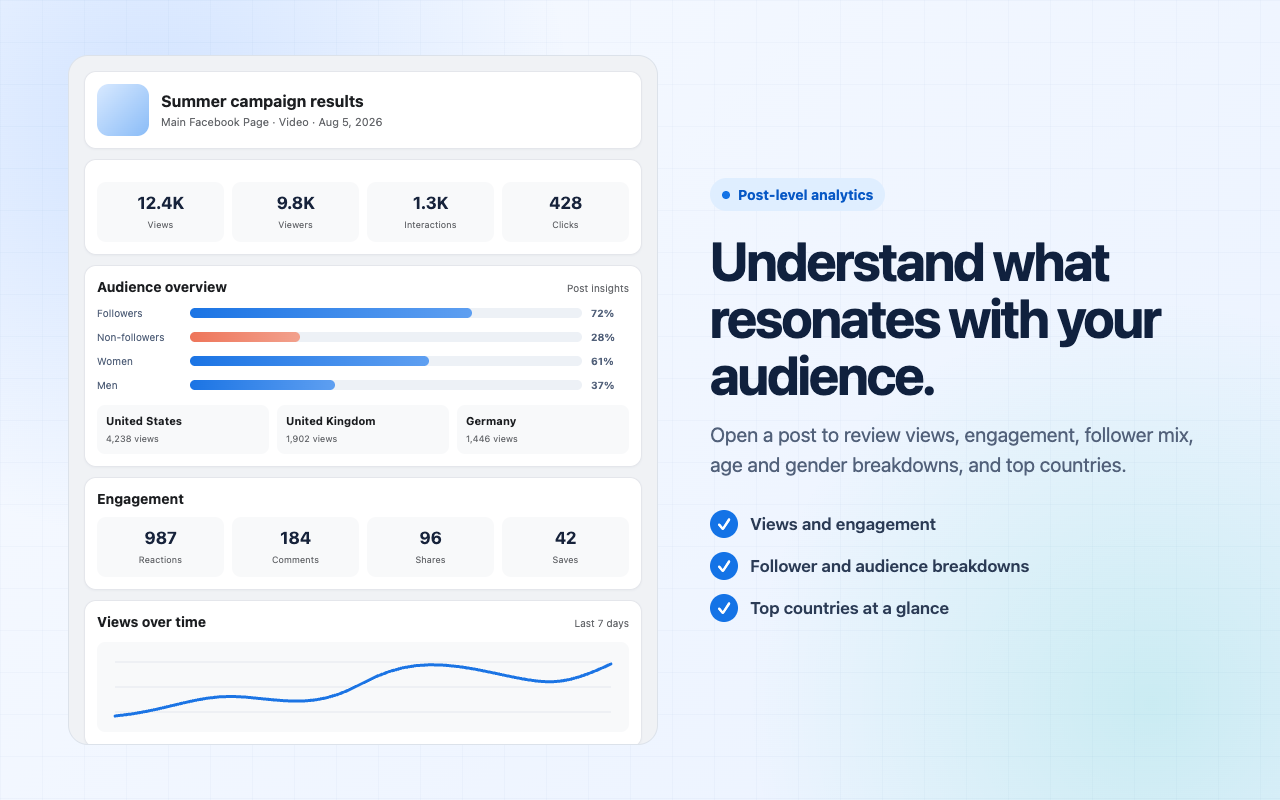
Built around real Page work
Whether you report for clients, collaborate with a team or run the Page yourself, the goal is the same: fewer clicks between question and answer.
Keep each portfolio, Page and post insight within the same focused workflow.
See the toolkitGive daily reporting a clear home beside the Facebook work already in progress.
See the toolkitGet a direct view of posts and audience response when you need a quick answer.
See the toolkitStraight answers before you start
No vague promises. Here is what the extension does—and what it deliberately does not do.
No. Requests go directly between your browser and Meta-owned Facebook endpoints. The extension does not use a developer-operated data server.
No separate account is required. The extension uses the Facebook session already open in your browser.
The current release is designed for viewing Page posts and performance insights. Publishing, ad management and settings are not enabled.
The extension clears its locally cached session data. Removing the extension also removes its Chrome extension storage.
FB Multi Manager
A calmer way to understand every Page you manage—without another dashboard taking over your day.
See FB Multi Manager again